← Selected workCase study
Cisco Secure Equipment Access
Making remote access to industrial equipment easy to set up
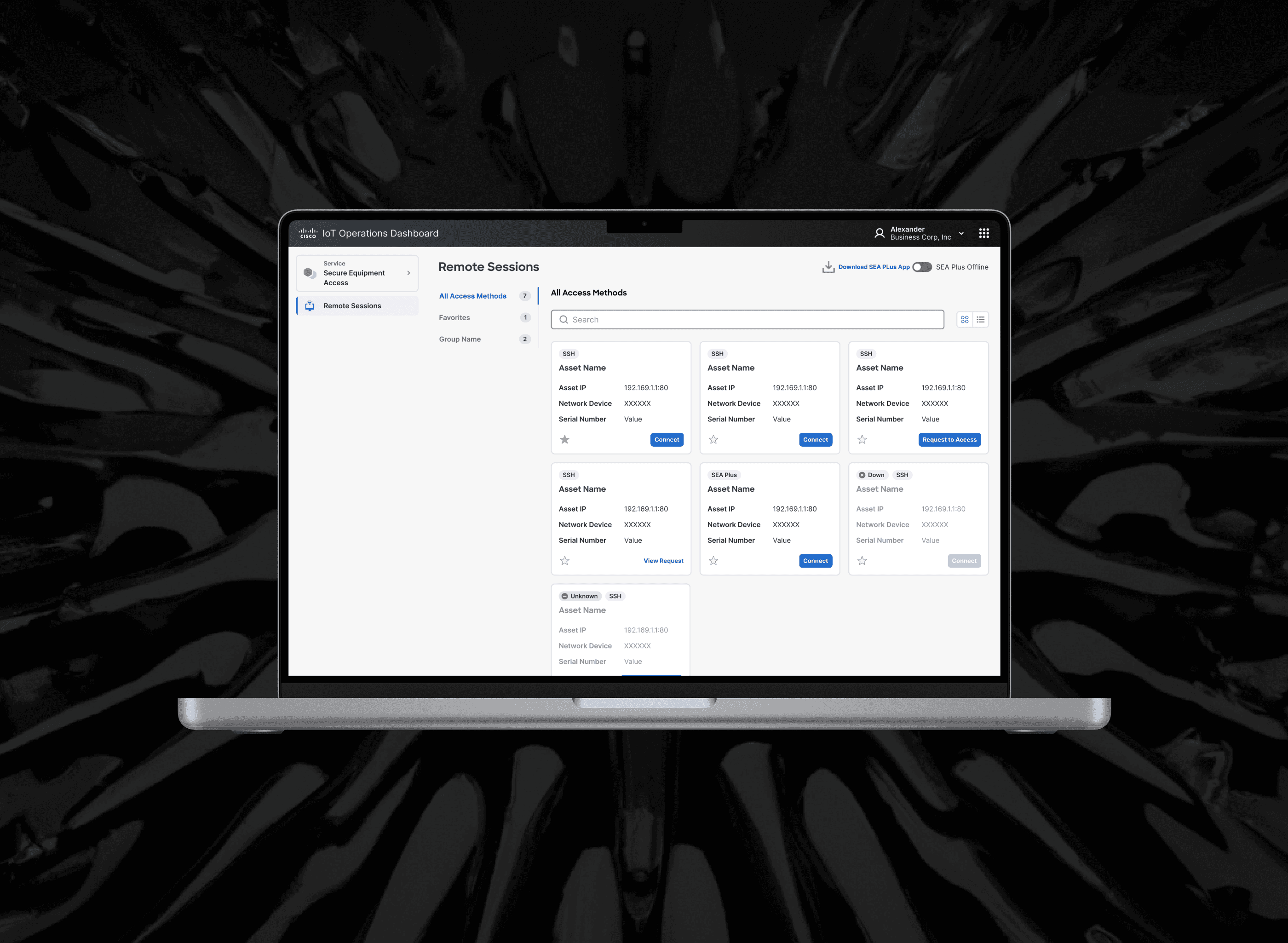
Secure Equipment Access lets industrial technicians connect remotely to the machines they maintain: robot arms, IoT assets, even coffee machines. Engineering built the product first, in 2022. It was capable, but setting it up for the first time was hard. As UX Lead I had three months to make remote access easy for IT admins to set up and quick for technicians to launch, and to move the product onto Cisco’s new design library.
Listening before redrawing
I ran seven interviews with customers, partners and internal stakeholders. Everyone I spoke with found setup confusing, and more than half struggled to find the assets they needed to access.
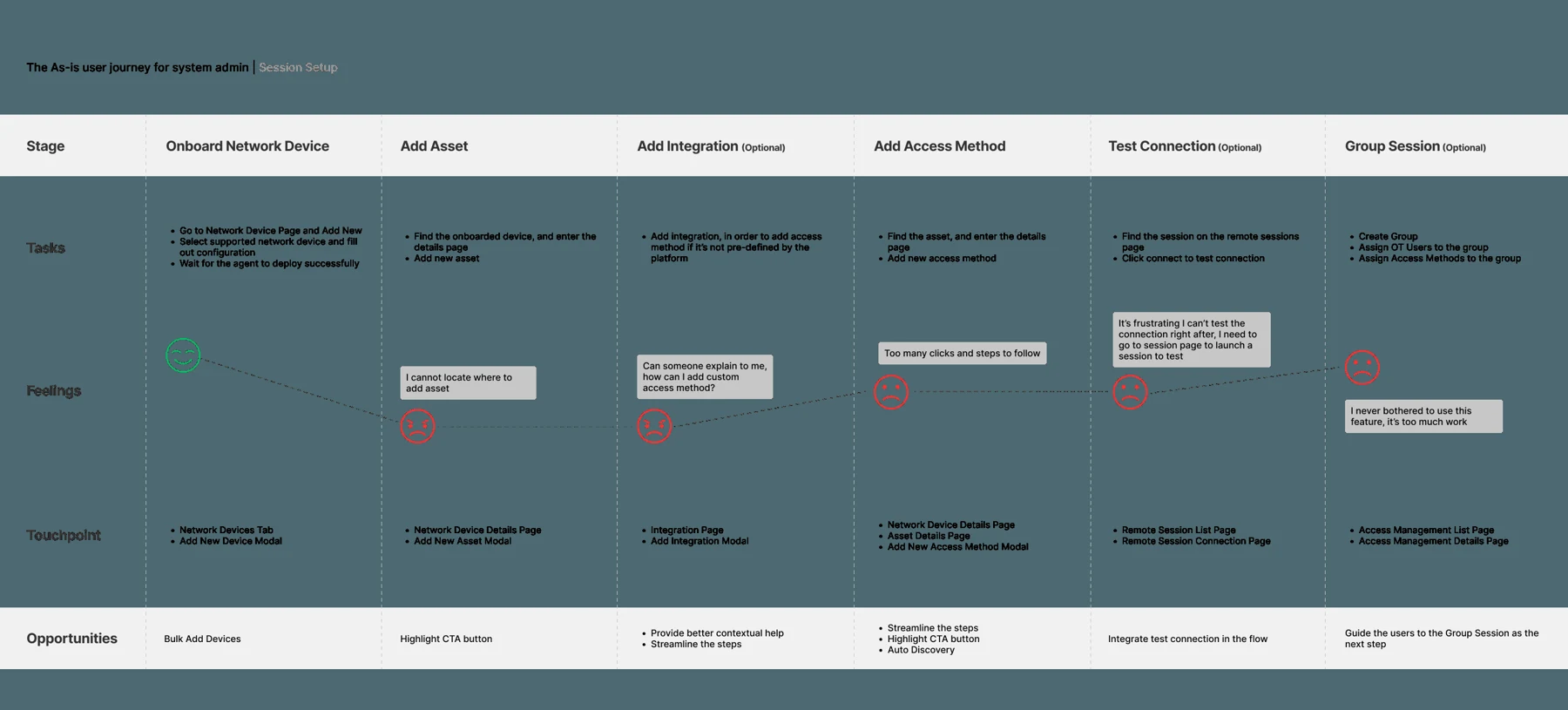
Mapping the existing flow showed why. Getting to a first session meant four steps: onboard a network device, add an asset, add an access method, test the connection. The product did not present them as one sequence. Adding an asset was hidden under the gateway, and the steps lived on different pages, so admins had to know the order before the product told them.
Choosing two problems, not ten
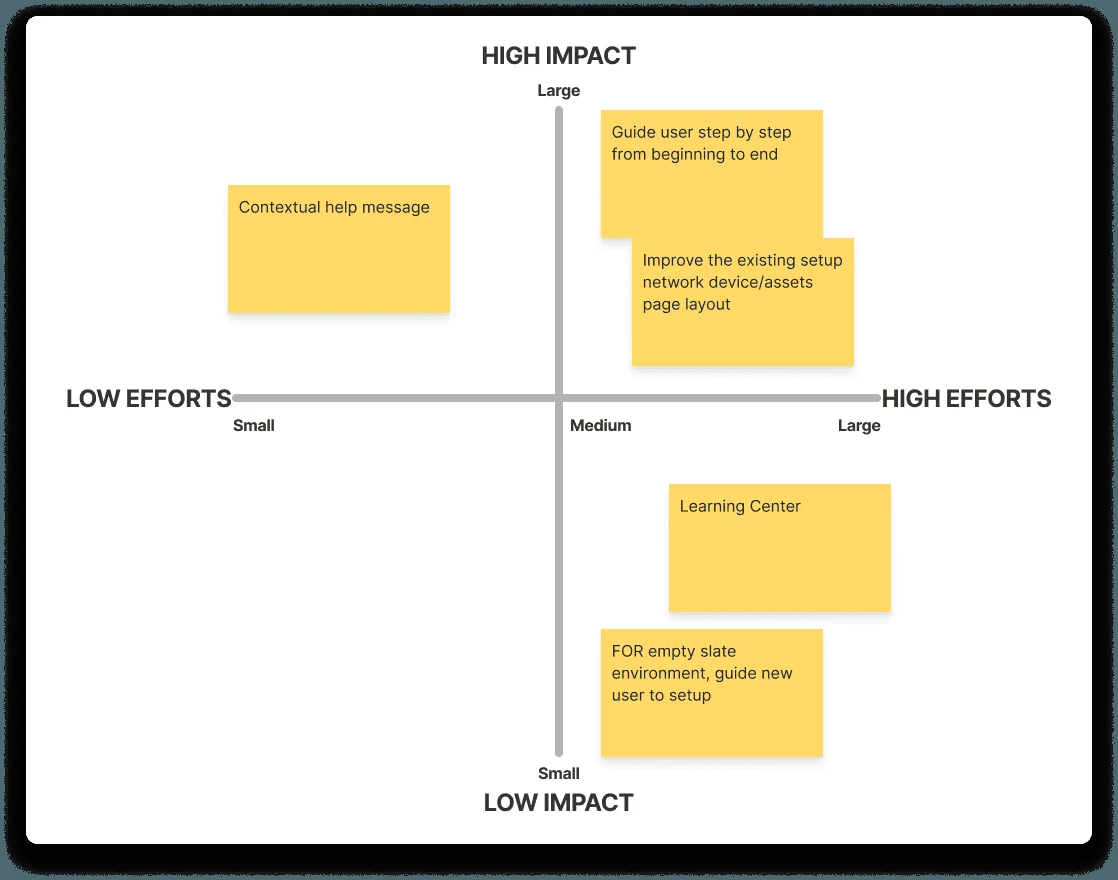
The interviews produced a long list. I ranked it with the PM by impact and effort, and we committed to two threads that covered the people who struggled most and the people who used the product most.
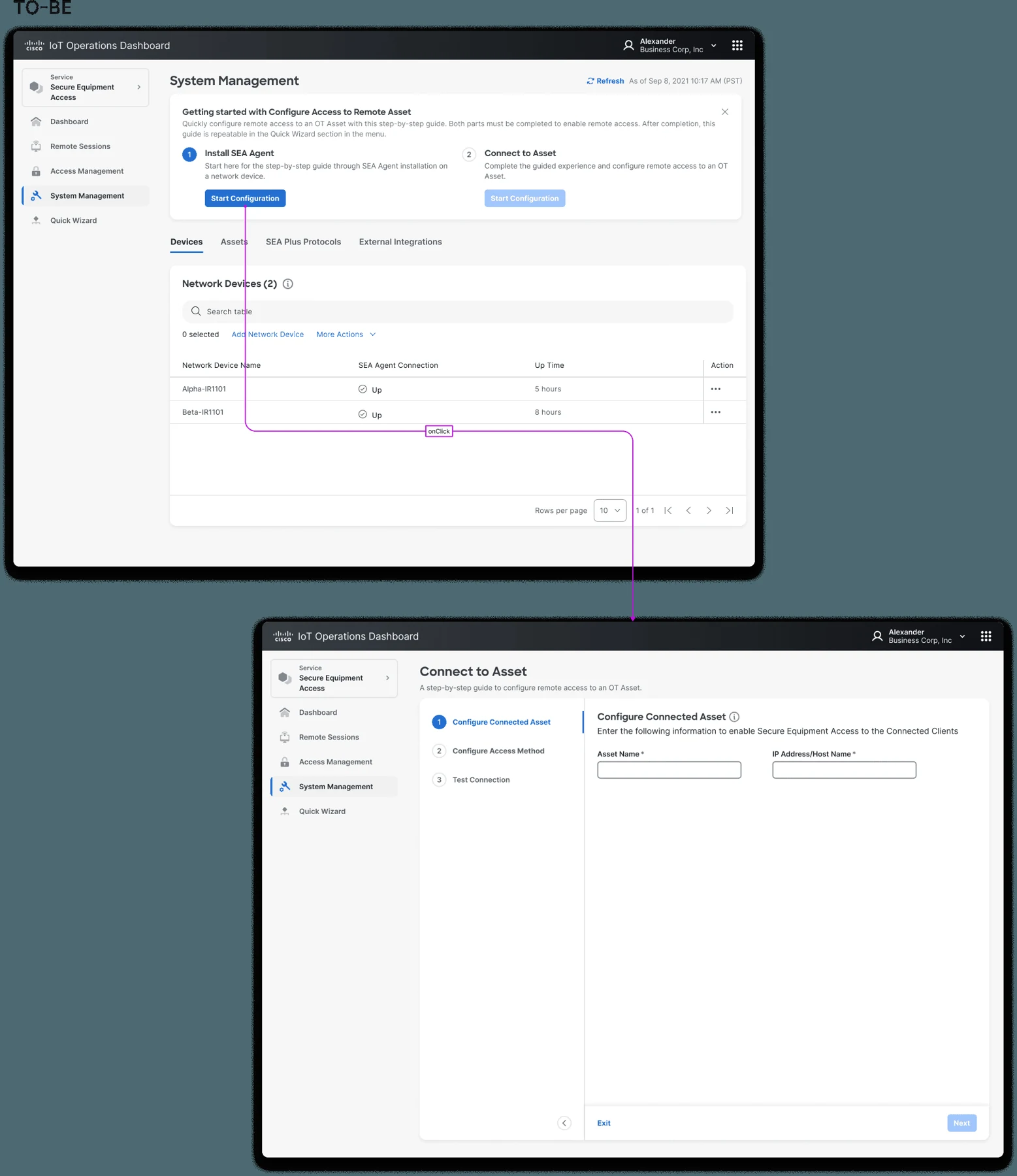
- Guided first-session setup: one path from a new network device to a working session, showing progress, the status of each piece and one clear next action.
- Streamlined creation for returning users: admins who already understood the model should be able to add assets and access methods without walking through the guide again.
Designing with limited access to customers
I could not put every iteration in front of customers, so I set up proxies. Each week I reviewed the work with Cisco’s customer-facing team, the people who hear setup complaints directly. Every two weeks I reviewed it with engineering, which kept the designs honest about what the platform could do.
The work moved from low to high fidelity through those reviews instead of in one handoff. Because the changes reached four developer teams, much of my role was coordination: making sure the guided setup, asset management and access configuration felt like one product even though different teams built them.
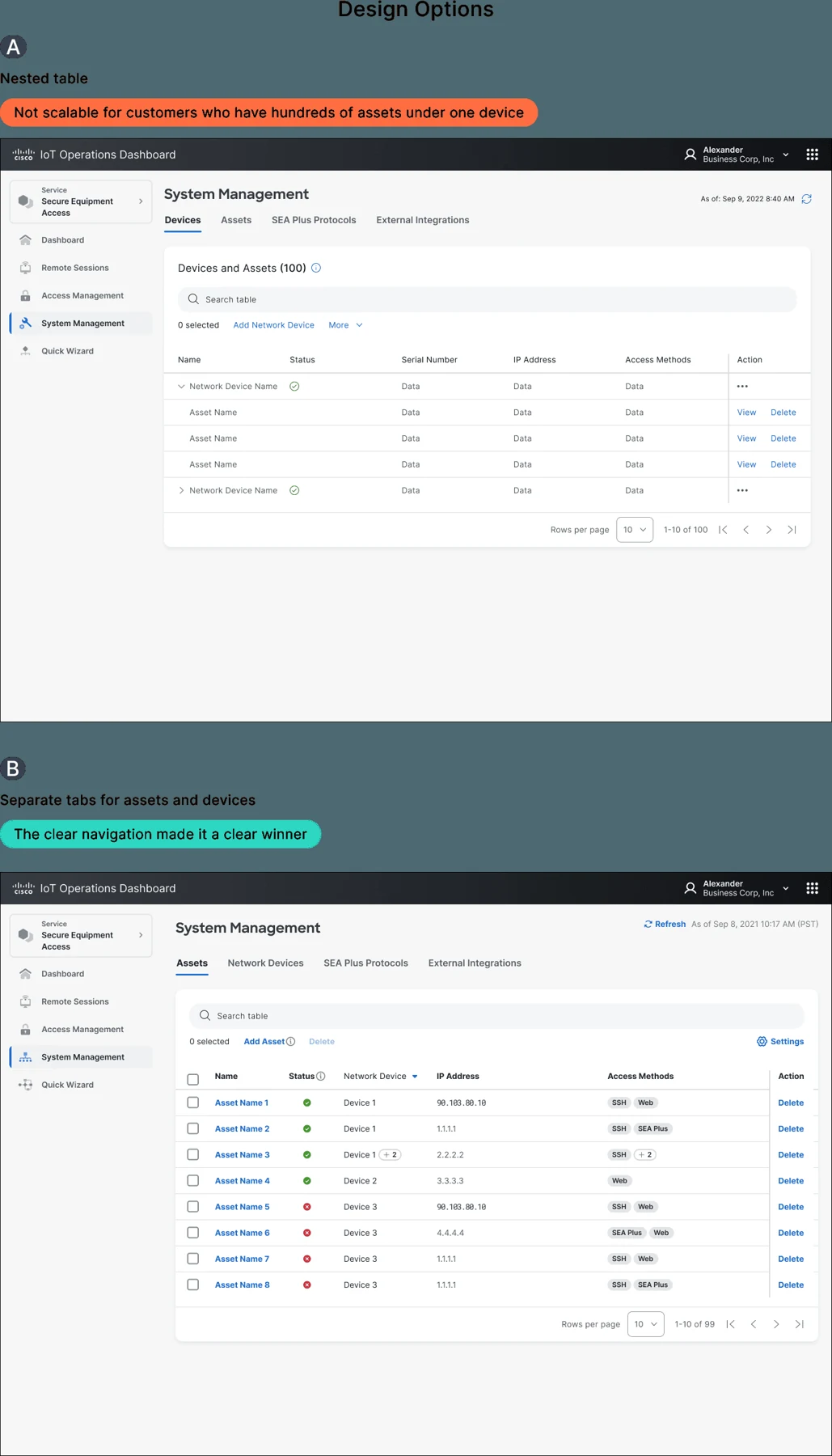
Moving onto the new design library
The redesign also needed to align with Cisco’s new design library. I treated this as part of the flow work: the guided setup and returning-user experience should use a consistent set of patterns rather than become another layer of visual exceptions.
What I took forward
The product’s power was never the problem; the order of operations was. Turning four scattered steps into one guided path, and giving experienced admins a shorter one, mattered more than any single screen.